Overview of Bluehost India’s Online Store Solution
Bluehost India offers a robust online store solution that empowers businesses to establish and grow their digital presence.
With a user-friendly interface and a wide range of features, this platform caters to the diverse needs of online entrepreneurs.
From secure payment gateways to customizable templates, Bluehost India provides the necessary tools to create a seamless shopping experience for customers.
By leveraging their expertise in web hosting, Bluehost India ensures reliable performance, quick loading speeds, and efficient inventory management for your online store.
User-Friendly Interface: Bluehost India Online Store provides a user-friendly interface that makes it easy for store owners to navigate and manage their online stores efficiently.
E-Commerce Templates: Bluehost India offers a wide range of professionally designed e-commerce templates that can be customized to create a unique and visually appealing online store.
Mobile Responsive Design: The online stores created using Bluehost India are automatically optimized for mobile devices, ensuring a seamless shopping experience for customers on smartphones and tablets.
Product Management: Bluehost India Online Store allows you to easily manage your product inventory, including adding new products, updating prices, managing stock levels, and organizing products into categories.
Secure Payment Processing: Bluehost India integrates with popular payment gateways, providing secure and reliable payment processing options for customers. This includes support for credit cards, debit cards, net banking, and other online payment methods.
Shipping and Tax Calculations: The platform enables you to set up shipping options and calculate shipping costs based on various parameters such as weight, destination, and shipping method. It also allows you to configure tax settings according to your business requirements.
SEO-Friendly Features: Bluehost India Online Store includes built-in SEO features that help improve the visibility of your store in search engine results. You can optimize product descriptions, meta tags, URLs, and other elements to enhance your store’s search engine rankings.
Marketing and Promotional Tools: Bluehost India offers marketing and promotional tools such as discount coupons, gift cards, and email marketing integration to help you attract and retain customers, and increase sales.
Analytics and Reports: The platform provides detailed analytics and reports to track the performance of your online store. You can monitor sales, customer behavior, traffic sources, and other key metrics to make informed business decisions.
24/7 Customer Support: Bluehost India offers round-the-clock customer support to assist you with any technical or general queries related to your online store.
These features make Bluehost India Online Store a comprehensive solution for setting up and managing a successful e-commerce business.
How to activate bluehost india online store
Follow the below steps to activate InterServer $ 1 for 12 months of web hosting :
Sign up for Bluehost India
See the above Bluehost India online store coupon and click on the “Show Code” button or visit this special link . Choose a hosting plan that suits your needs and follow the prompts to create an account.
Claim Your Free Domain Name
On the registration page, enter the domain name you want to claim for free. Bluehost India will check if the domain is available, Or use your existing one.
Choose your domain name
At this stage you will be asked to register a domain name or use your existing one if you want to connect web hosting with your existing domain name.
Create an Account
Create an account by entering your login details, including a username and password. This will be used to access your Bluehost India account and manage your domain and hosting services.
Complete the Payment Process
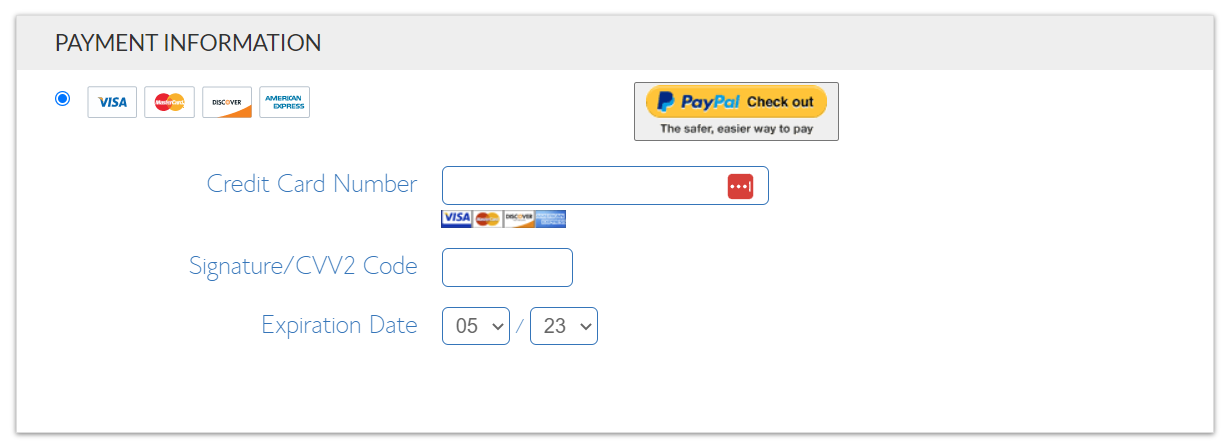
Provide your payment details and complete the payment process. Bluehost India accepts various payment methods, such as credit cards or net banking, so choose the option that is convenient for you.
Verify Your Email Address
After the payment is processed, Bluehost India will send a verification email to the address you provided during registration. Click on the verification link in the email to confirm your email address.
Set Up Your Bluehost India Account
Follow the instructions in the welcome email to set up your Bluehost India account. This will involve creating a secure password and configuring any additional settings required.
Access Your Free Domain
Once your account is set up, you can access your free domain name. Bluehost India will provide you with the necessary details and instructions on how to manage and use your domain.
By following these steps, you can claim flat 57% discount and free domain name through Bluehost India and start building your online presence.
HC
HostingConnector Editorial Team
Verified Hosting Experts | 50+ Hosts Tested Since 2020
Our team purchases and tests every hosting plan we review. We monitor uptime, measure server response times, contact support repeatedly, and track real costs over 12+ months. We are not paid to rank any host higher — our recommendations are based on data, not commissions.
✅ Hands-on Testing📈 12-Month Data💰 Real Money Spent🔒 Independent Reviews
Editorial Disclosure: HostingConnector may earn a commission when you purchase through our links. This does not influence our ratings or rankings. We test every host with our own money and only recommend services we would use ourselves. Read our full disclosure.
Disclosure: We earn a commission when you buy through links on this site, at no extra cost to you. It never affects our rankings.