Disclosure: this post contains affiliate links. If you buy through them we may earn a commission at no extra cost to you. We only feature deals with strong ratings or a fresh launch.
- ⭐ 4.6/5 from 50 buyer reviews
- ↩️ 60-day money-back guarantee
- 👥 Best for: Marketers, Small businesses, Social media managers
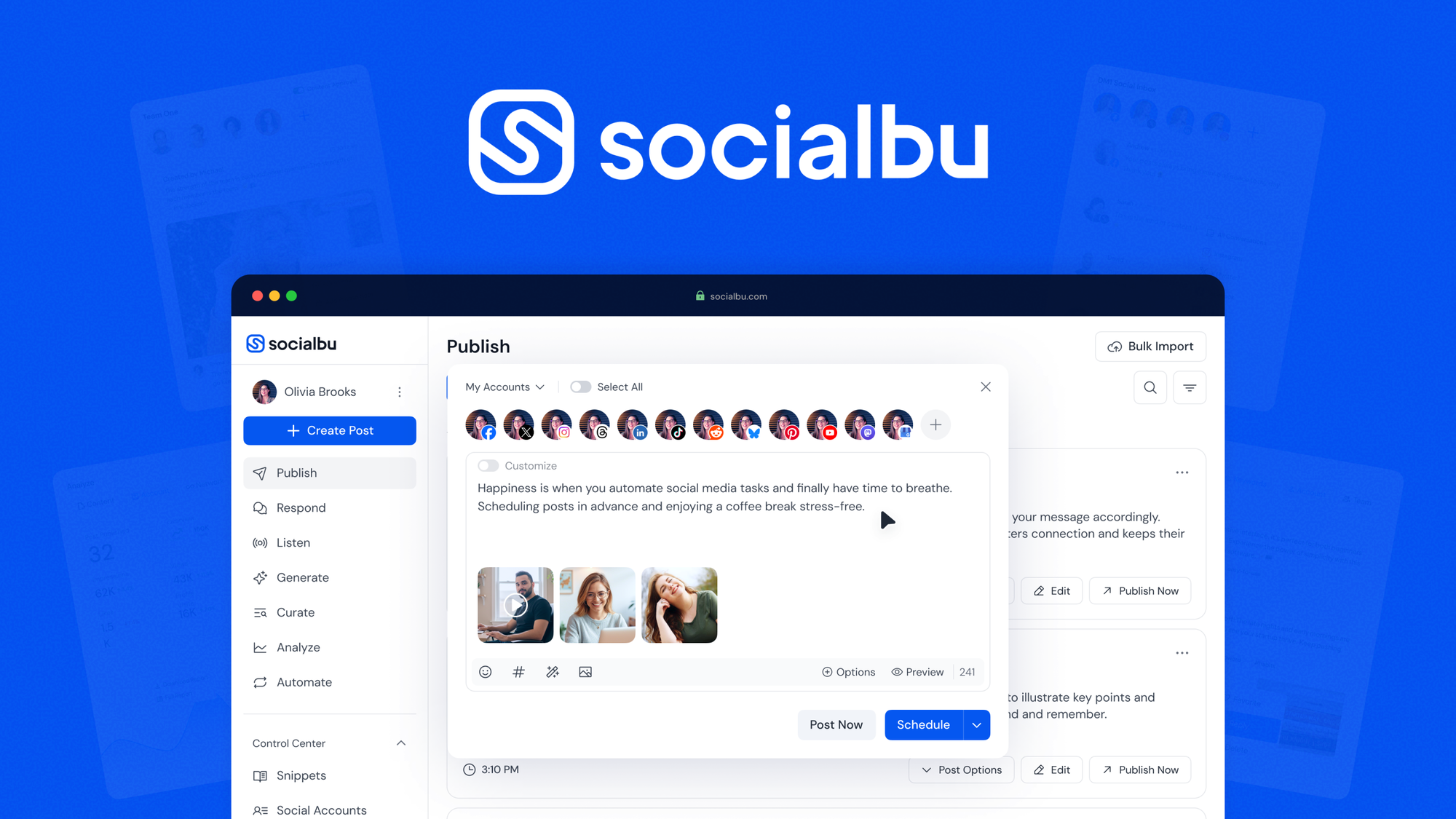
SocialBu: schedule, publish, analyze, and grow social media presence across 12+ platforms from one dashboard. On AppSumo you pay $49 once instead of a monthly subscription.
Posting consistently across platforms sounds simple until you're hopping between multiple accounts. SocialBu lets you manage, publish, and track what's landing across 12+ social media platforms.
What you get with SocialBu
- Schedule, bulk import, and recycle content across 12+ social platforms from one dashboard
- Analyze post and account performance with built-in analytics to see exactly what is working
Is SocialBu a good Buffer alternative?
Buyers compare it with Buffer, Hootsuite, Sprout Social, Buffer. The difference that matters for most small teams: those tools bill every month, while this deal is a single $49 payment. Check the plan limits below before you buy.
What buyers say
Customers appreciate SocialBu, praising its seamless scheduling across 12+ platforms, user-friendly interface, and powerful automation features. The ability to analyze performance and manage multiple accounts from one dashboard is a standout. However, some users have noted limitations on link posts for X (Twitter) and occasional confusion with workspace management. Despite these minor drawbacks, SocialBu is a solid choice for anyone looking to enhance their social media presence. With a lifetime deal available and the recent addition of features like integration with ChatGPT, it's worth giving a try!
Deal terms
- Lifetime access to SocialBu
- All future custom AppSumo plan updates
- If Plan name changes, deal will be mapped to the new Plan name with all accompanying updates
- No codes, no stacking—just choose the plan that’s right for you
- You must activate your license within 60 days of purchase
- Ability to upgrade between 4 license tiers while the deal is available
Integrations: Facebook, Instagram, LinkedIn, Webhooks, YouTube
FAQ
How do I enable an inbox in SocialBu's Respond 2.0?
To enable an inbox in Respond 2.0, navigate to Respond 2.0 from the left menu, select 'Accounts' or 'Teams' at the top, click on the desired account or team card, and if prompted, click 'Continue' to complete the setup.
What should I do if I encounter the 'account_ids is not set' error when adding social media accounts?
This error occurs when you click 'Add' without selecting any accounts from the dropdown menu. To resolve it, wait for the selection popup to fully load, select at least one account from the dropdown, and then click the 'Add' button.
How can I connect SocialBu to AI assistants like Claude?
To connect SocialBu to AI assistants via MCP integration, open the Customize panel and Connectors tab, add a custom connector with the MCP server URL 'https://socialbu.com/mcp', and authorize the connection.
What is the Queue feature in SocialBu, and how do I set it up?
The Queue feature allows you to automate and recycle evergreen content by adding multiple posts and setting them to repeat on a preferred schedule. To set it up, log in to SocialBu, navigate to Publish → Queues, click 'New Queue', name your queue, and assign it to a team member if desired.
See the SocialBu deal on AppSumo →
Price and availability checked 24 October 2026. AppSumo deals sell out or end without notice.
HostingConnector Editorial Team
Verified Hosting Experts | 50+ Hosts Tested Since 2020
Our team purchases and tests every hosting plan we review. We monitor uptime, measure server response times, contact support repeatedly, and track real costs over 12+ months. We are not paid to rank any host higher — our recommendations are based on data, not commissions.